Creating category
The Category module is a fundamental component of our product, designed to empower users to create distinct categories for documents at a primary level. This comprehensive documentation outlines the necessary steps within this module to effectively organize and categorize various types of documents.
The Category module allows users to establish clear and organized document categories at a primary level. By creating well-defined categories, users can efficiently classify documents and streamline document management processes.
Key Features of the Category Module
The Category Module encompasses the following key features:
Document Categorization: The module enables users to create distinct categories for documents.
Primary-Level Organization: Users can establish a structured hierarchy of document categories at the main level.
Note:
If you encounter any issues, contact your system administrator.
Accessing Category
To access the Category page, follow these steps:
-
In the main menu, under Document Definition, click Category. The Category page opens.

Column header descriptions
COLUMN NAME
DESCRIPTION
Category name
Displays the category name.
Description
Displays the description of the category.
Status
Displays the active/inactive status of the category.

Adding category
To add category, follow these steps:
-
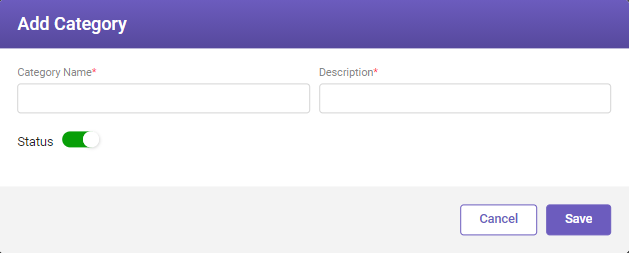
In the top-right corner of the Category page, click the Add button. The Add Category window opens.

-
Fill-in the details based on the following field descriptions.
FIELD
DESCRIPTION
Category Name*
Enter the document category name.
Description*
Enter an appropriate description of the category.
Status
Enable the toggle button to define the category to be available.
* Mandatory fields
-
Click Save to save the details.
Editing category
To edit category details, follow these steps:
-
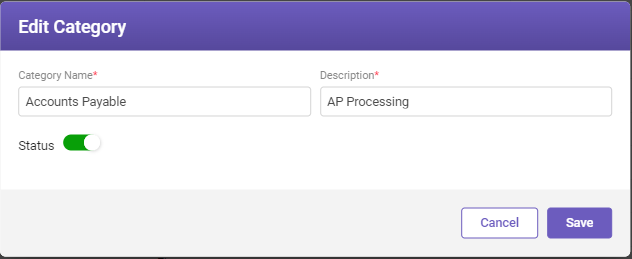
On the Category page, select the category name whose details you need to modify and click the Edit button to modify the details. The Edit Category window opens.

-
Modify the necessary details according to your requirements and then click Save.
NEXT
Now that you have created a category, it's time to create a project.